

This course trains
Agent Daisyyour designer
“I make everything look like one business people trust.”
Extras · AI course
Create pictures and graphics with AI.
Product photos, social post graphics, image ads and print ready flyers, all in your own brand and made in minutes. Every lesson makes one finished picture, start to finish, with the tool and what it costs.
Open now. Included in Academy membership. Already a member? Log in and start

Pick a place · see what you’ll make for it
Where do you want more enquiries from?
Pick a place and see the pictures you’ll make for it, and how Dan, our heating engineer in Stroud, uses them.

On your website
What you’ll make
- A banner picture for every page
- A how it works diagram of your process
- Review graphics that people stop and read
- Product photos on clean new backgrounds
Dan’s versionA simple four step picture of how a boiler swap works with him, from first visit to final check, right under his booking button.
People like to know what happens next before they get in touch. A clear picture answers that in seconds.

On Google
What you’ll make
- Real photos of your work, taken well
- Product photos with a clean background
- A cover photo that says what you do
Dan’s versionSharp photos of his van, his tools and a finished boiler swap, so people searching near Stroud see real work.
It’s often the first thing people see. The course keeps your Google photos real, which is what Google asks for.

On social media
What you’ll make
- Post graphics in your own brand, made in Canva
- Review graphics from your real reviews
- YouTube thumbnails that get the click
Dan’s versionA set of post templates in his colours, so a tip or a review goes out in two minutes, not twenty.
Posts that look like one business build trust, and templates mean you actually keep posting.
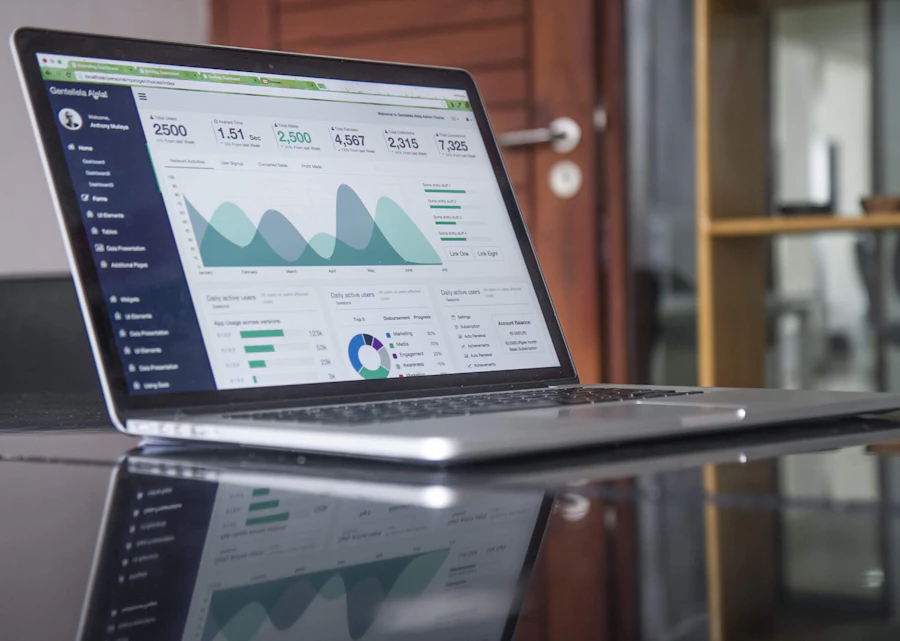
In your ads
What you’ll make
- Image ads in four or five versions to test
- Every size each platform asks for
- One clear offer on every ad
Dan’s versionA winter boiler service ad in three versions, so he can see which one makes the phone ring before he spends more.
Testing a few versions means your money goes on the ad that works, not the one you guessed at.

In your emails
What you’ll make
- A header for each kind of email you send
- A picture for every blog post
Dan’s versionA friendly header on his autumn service reminder, in his colours, so people know it’s him before they read a word.
Emails that look the same every time get recognised, and opened.

With your quotes
What you’ll make
- A branded front page for quotes and proposals
- A how it works diagram to send with your quote
Dan’s versionA smart front page on every quote, with his logo, a photo of his work and two of his best reviews.
A quote that looks professional gets taken seriously, before the price is even read.

In print
What you’ll make
- Flyers, posters, menus and leaflets, ready to print
- Business cards, gift vouchers and invitations
- QR code posters you can track
- Any picture made sharp enough to print
Dan’s versionA QR code sticker on every boiler he services, so next year’s booking is one scan away, and he can see how many people use it.
Print still works locally, and a tracked QR code means you finally know which leaflet brought the call.
Every one of these has its own lesson, start to finish.
What you’ll learn
Two sections. Make only what you need.
13 short lessons. Each one makes one finished picture, with the tool and what it costs, steps that match the screens you’ll see, a prompt to copy and Dan’s version to follow.
Pictures
Every picture your business needs
Make product photos, social post graphics designed in your own Canva, image ads, email headers, thumbnails, review graphics and how it works diagrams. Then make any picture sharp enough to print, and know when another tool does the job better.
Tools: ChatGPT, and Claude connected to Canva.
You’ll leave with: pictures for every place you get enquiries, all in your brand.

Printed things
Flyers, cards, QR posters and quote covers
Print ready flyers, posters, menus, business cards, gift vouchers and quote covers, plus QR code posters that show you exactly how many people scanned them.
Tools: Claude and ChatGPT.
You’ll leave with: files you can send straight to a printer.

One business, all the way through
Meet Dan. See it all join up.
Dan runs through every lesson, so you see each thing made for a real kind of business, and how one piece feeds the next.
 Dan’s Heating, Stroud
One afternoon, a month of posts
Dan makes a set of post templates in his own Canva, then fills them with tips and reviews. That’s his social media pictures sorted for a month.
One look, everywhere
The same colours and style go on his website banners, email headers, quote covers and van leaflets, so people recognise him wherever they see him.
Every leaflet tracked
His flyers and stickers carry a tracked QR code, so Dan can see which ones made the phone ring, and prints more of those.
Made with AI, still honest
Real work. Real people.
AI can make the picture, but it has to show what you really do. Every lesson sticks to the same rules, so nothing you post comes back to bite you.

- No fake work, customers or reviews, ever
- Real photos on your Google Business Profile
- Written permission before you show a customer or your team
- Pictures and fonts you have the rights to use
- A description on every picture, so everyone can follow
Open now
Included in your membership
Join the Academy and you can start this course straight away. Every other course is included too, as each one opens.
- This course, and every course as each opens
- Regular AI updates throughout the year
- Live group sessions
- Save £360 a year
- Every course, as each opens
- No commitment, cancel any time
- Included with your website
- Plus our client only courses
All prices include VAT.
Before you sign up
Your questions, answered
When can I start?
Now. It’s open, so join the Academy and you can start straight away. Already a member? Log in and start the course.
Do I have to do all 13 lessons?
No. The Welcome lesson shows you what each section makes, so you can go straight to what you need. Start wherever you like, depending on what you need. Come back for more when you’re ready.
What do I need?
Claude and ChatGPT will take you a long way, and their free plans work. Some lessons use other tools, such as Canva or a free upscaler. Each lesson tells you what the tool costs and whether there’s a free plan, so you only pay for what you choose to use.
Won’t AI pictures look fake?
Not when you know how to ask. Each lesson gives you a prompt that asks you the right questions first. And where it matters, like your Google profile, the course has you use real photos of your real work.
Do I need to do anything first?
Do Your AI Marketing Brain first. Claude uses it to keep every picture in your own brand. Not got a logo or brand guidelines yet? Do Create Your Brand With AI first.
Where are the videos and GIFs?
They have their own course: Make Videos and GIFs With AI.
Where’s my logo?
Your logo, brand guidelines and email signature are in Create Your Brand With AI.
Do members pay extra?
No. It’s included in your membership, like every other course.
Create pictures and graphics with AI.
Every picture your business needs, in your own brand, made by you in minutes.
Join the Academy to get it Henny Maltby
Pink Elephant AI Marketing Academy
Dan is a made up example. Results vary and aren’t guaranteed. Tool features and prices change, so each lesson shows when its price was checked. Photos from Unsplash.